Operations, Automations, WebDev & Executive Assistant

You run the business.
I'll run what's behind it.

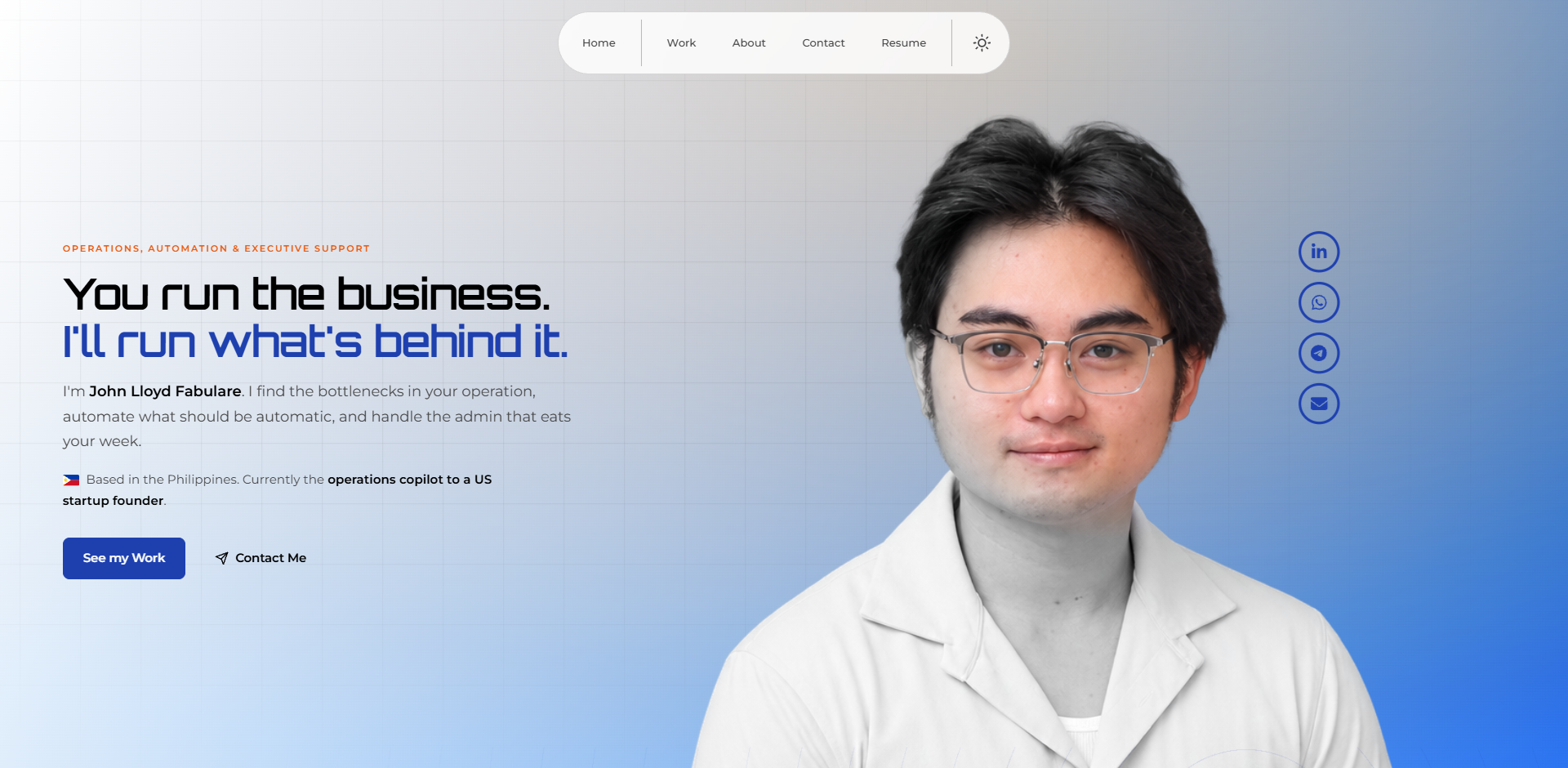
I'm John Lloyd Fabulare. I find the work that only happens when someone remembers it, and I make it run on its own.

See my work

Based in the Philippines. Currently the operations copilot to a US startup founder.

Where the week goes.

Leads arrive and nobody follows up.

Signups come in from everywhere, and the next step depends on someone remembering it.

See how it was fixed

A launch date, and nowhere to send people.

The interest shows up before there is a page to catch it.

See how it was fixed

Still running.

Open any of them for the full account.

The fabulare.dev homepage Website fabulare.dev The same portfolio in its first design, in one HTML file with no framework. HTMLCSSJavaScriptClaude Visit the site →, opens in a new tab
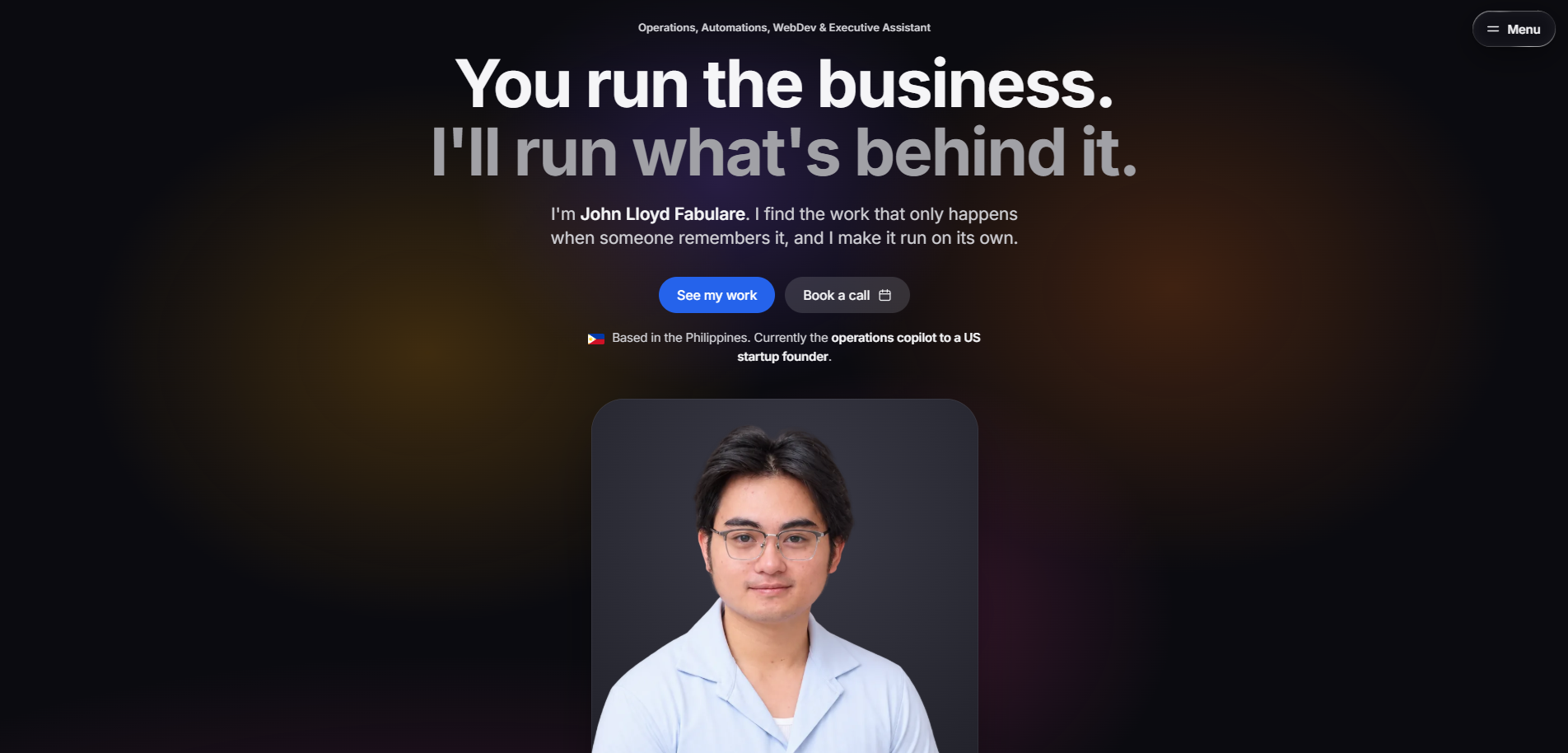
The first screen of this site Website glass.fabulare.dev This page. The same portfolio in a second design, in one HTML file with no framework. HTMLCSSJavaScriptClaude

How it starts.

  1. You show me how the work moves.

    What you do by hand, what keeps slipping, what takes longest.

  2. I tell you what I would fix first.

    Which parts can run on their own, and which one costs you most.

  3. You keep the plan.

    Whether or not we work together. If I am not the right person, I say so.

A.E.G.I.S.

Several clients. None of it in my head.

A.E.G.I.S. is the memory behind my work: plain text files, and rules that tell an AI assistant how to read them.

The first 760 wordsRead at session start

760 words read to start a session 788,000 words it holds

From a client.

“I highly recommend John. I am so grateful to have worked with him and will hire him again. He is a self-motivated leader who creates exceptional content, learns quickly, accepts feedback with ease, and is an excellent thought partner. I hired him at a time when I had limited bandwidth to provide direction. He consistently exceeded my expectations!”

Melanie Perry, MCC ICF Master Certified Coach · Ex Medtronic, Novartis, Deloitte

3years in

5pages live before a book launch

21components in one registration system

From a paper archive to automation.

I started out digitising a paper archive for a government office and ended up automating the job I was hired to do by hand. That is still the work: I take the parts of a business that run on somebody remembering to do them, and I make them run on their own. 3 years in, and the thing I most want is a founder with a mess worth untangling.

Executive Assistant Copilot

EarthPilot Visit site

Jul 2025 to present · Remote

Sole operations hire to a US startup founder. Funnels, CRM architecture, automations, websites and client delivery, end to end. I am the person the work goes to when there is nobody else to give it to.

Content production and design

NAATBatt International

The weekly social and newsletter cadence, plus the design, graphics and brand standards behind it.

Digital Marketing Assistant

Outsourced Doers Visit site

Aug 2024 to Sep 2025 · Remote

Handled 2 client accounts across the engagement, each for six months: social media, email, design and the day to day admin behind both. The recommendation further down this page came from one of them.

Technical Support - Records Section

Department of Agrarian Reform Visit site

Oct 2023 to Aug 2024 · General Santos, On-site

Digitised a paper archive running from the 1900s to 2015 and stored them, then built a Google Sheet records system so the searching for documents stopped being going to the actual archive room. The first time I automated my own job, and the reason I do this now.

Questions people ask.

Which tools do you build in?
  • GoHighLevel for CRM, funnels, automation and email
  • Claude and Codex for building
  • Buffer for social media scheduling
  • Notion for task management
  • Slack and ClickUp when there is a team
  • Squarespace and hand-coded sites, Zoom, Meta Ads, analytics

These are the ones I use most. There are plenty of others I have not listed, so bring up whatever you are already on and we can talk it through.

Do you work by project or ongoing?

Both. Some people want one system built to a fixed scope and a date. Some want someone in the operation every week. Some want one thing fixed and nothing more. We work out which on the call.

What do you actually do day to day?

Websites and landing pages. CRM setup. Automated email and reminder sequences. Funnels. Reporting. Design and content. And the executive assistant work underneath all of it: inbox, calendar, follow-ups, documents, coordination.

What does it cost?

It depends on what is broken, which is why the call comes first. I will not quote a number before I understand the work, and there is nothing to commit to on the call.

What actually happens on the call?

Thirty minutes. You walk me through how the work moves: what you do by hand, what keeps slipping, what takes longest. I tell you which parts can be automated, which one is costing you most, and what I would fix first.

You keep that whether or not we work together. If I am not the right person for the job, I say so on the call.

What's eating your week?

Thirty minutes, no obligation. Tell me what is slowing you down and I will tell you whether I can fix it.

Contact me

Book a call

Thirty minutes, no obligation. Tell me what is eating your week and I will tell you whether I can fix it.

Pick a time that works. You'll get a confirmation straight away and a reminder before we speak.

Operations & automation

A weekly founder session that could not see its own audience

Client EarthPilot. Anthony David Adams, founder. I am his operations copilot.

The thing The Singularity Playground, a live session every Wednesday, 10:00 to 11:30 AM ET.

Live playground.earthpilot.co/singularity

Role Sole builder. Diagnosis, architecture, build and ongoing operation.

The problem

The session ran off Anthony's Zoom Personal Meeting Room. That one choice caused everything downstream, and none of it was obvious from the outside.

  • No email capture. Most people joined as guests without a Zoom login, so the participant report came back as a list of names with blank email fields. He did not know who was in the room.
  • Registration was impossible. Zoom cannot apply registration to a personal room, only to a scheduled meeting.
  • Invitations were a hand-kept list of about 65 guests on a recurring calendar event. New people got added only if someone remembered.
  • No reminders at all. Nothing went out before a session.
  • No way to spot a first-timer, which mattered, because booking 1:1s with new attendees was why he asked in the first place.
  • Zero attribution. Signups arrived from ads, WhatsApp, the book and elsewhere, all indistinguishable once they landed.

Signup, attendance and follow-up were three disconnected islands.

How it surfaced

He did not ask for a rebuild. He asked a reporting question: roughly can I see who is coming, and are they getting in? I want to be setting up 1:1s with the first-time people. I went into the Zoom portal to answer it and found the actual cause, which was that the room was structurally incapable of capturing anyone.

A reporting question became a rebuild because someone opened the portal to answer it.

The page it replaced

The rebuilt registration page: a full landing page with its own hero and a single join button The page it replaced: a bare heading above an unstyled signup form Before After
Drag to compare

What I built, in the order I built it

Twenty-one components. Each group only works once the one above it exists, which is why the order is worth showing.

Front end
01Registration funnel in GoHighLevel: landing page plus a thank-you and confirmation step.
02Intake form capturing name, email, company, role, current project, interests, LinkedIn and how they heard about it.
03Hidden UTM fields so the source travels with the contact instead of being lost at submit.
04Full-bleed custom-CSS hero, built with a negative-margin escape and a small script, because the builder wraps custom code in a padded column.
Zoom & routing
05Migrated the session off the personal room onto a scheduled recurring meeting with register once, attend any occurrence.
06Rebuilt his short link on the existing router so it points at the registration page instead of the old room.
CRM
07Tag architecture: session, first-timer and active tags, plus an exclusion tag so existing members never get served recruitment ads.
08Smart lists for signups, active members and ad exclusion.
09Source tags applied automatically from the UTM fields the moment the form submits.
Automation
10Confirmation email, immediate, carrying the Zoom link and the referral ask.
11WhatsApp welcome video about two hours after signup, once the confirmation has had time to land.
12Email reminder 24 hours before each session.
13WhatsApp reminder one hour before. Link only, nothing else.
14Weekly loop workflow: wait until next Wednesday, check first-timer status, send the 1:1 booking email, loop.
15First-timer outreach with a booking calendar and one intake question attached.
Attendance & reporting
16Zoom attendance report into CRM tagging, matching who actually turned up to their contact record and flagging first-timers.
17Attribution reporting by source tag, so a signup can finally be traced back to what produced it.
Paid traffic
18Meta Pixel installed in the funnel.
19Lead event firing on the thank-you page.
20Custom conversion in Events Manager, built on the thank-you URL rule.
21Ad set built against that custom conversion, with a tagged destination so the loop closes back into the CRM.

Timeline

Three days to the landing page and funnel. About two weeks to a working end-to-end system: form into CRM, confirmation out, reminders running, Zoom connected. Everything after that was layered in over the following months as his asks expanded. Attendance tracking, WhatsApp, the pixel, attribution, the referral ask and first-timer outreach were not in the original scope.

Before and after

BeforeAfter
Signup captureZoom guests, mostly no emailEvery signup a tagged contact with eight fields
AttendanceNo visibility at allZoom report matched to contact records
RemindersZeroThree touches per session
First-timersManual guessingTagged automatically on arrival
Follow-upAd hoc, when rememberedAutomated 1:1 invitation
AttributionNoneSource-tagged per contact
His involvementManual calendar adds, manual everythingApproves the copy, shows up, takes the 1:1s

The numbers

2,200Visits 160Signups 7.3%Visit to signup 204Workflow enrolments 0Errors 3:46Average on page

Across 14 workflows, 3 published. One to three new signups a day, still arriving. Average weekly attendance runs 10 to 12, and the most recent session had 25.

The caveat: paid ads pointed at that landing page, so the 2,200 is not organic traffic. The 7.3% is still the honest read of what arrived. Figures pulled from the live platform analytics on 9 August 2026, covering 1 January to 9 August 2026. Weekly attendance is my own recollection rather than a pulled report, and is marked as such.

The conversion rate is not the strongest thing here. He now measures the session through what I built: the smart lists, the workflow stats and the conversion data are the measurement layer, and none of it existed before.

What it would have cost elsewhere

$6,000 to $11,000 to build, then $18,000 to $36,000 a year to keep Estimate at standard agency rates for the same scope: $2,000 to $3,500 for the funnel and landing page, $4,000 to $8,000 for the workflow architecture, WhatsApp, attendance and conversion tracking, plus $1,500 to $3,000 a month retained. This is a market estimate, not a quote anyone gave. It is here to size the work, not to price mine.
Open the site →
Website build

An author with a launch date and no website at all

Client Rebecca Sharzer. Movement educator, coach, and author of The Wisdom of Dance.

Via Anthony's client, not mine. He published her book; the website came to me as part of the same engagement, so I never held the relationship, only the work.

Live thewisdomofdance.com

Role Designed and built the Squarespace site end to end. That is the whole of my claim here: others are Anthony's side of it.

The home page of thewisdomofdance.com
The home page as it stands today.

The problem

She had no website at all. Not an outdated one. Nothing.

  • She had just published a real book, built on four decades of practice and 18 interviews with conscious-movement practitioners.
  • She had a launch event already on the calendar in Brooklyn, with more planned after it.
  • She had a coaching practice, a two-decade consultancy serving NYC schools, and a genuine network.
  • And anyone who heard her speak, was handed the book, or searched her name found nothing.

The specific damage if nothing happened: every launch event would generate interest with nowhere to send it. Guests, press and prospective coaching clients would all hit a dead end. She would have spent the credibility of a published book and captured none of it.

What I built

Five pages, from a blank account, against a launch date that could not move.

  • Home, positioning her as movement educator, coach and author.
  • Book, with a clear path to purchase.
  • Coaching, her offering presented properly for the first time.
  • About, written and designed.
  • Event, one place for the community to register and share.

Plus a contact and booking form, which was her first direct inbound channel for coaching enquiries, and purchase routing to the book listing. Navigation deliberately plain: most traffic would arrive cold from an event or a book jacket, so nobody should have to work out where to go. The visual identity was built from scratch, mobile first, because event traffic arrives on phones.

Before and after

BeforeAfter
Web presenceNoneFive-page site, live
The bookNo home onlineIts own page with a purchase path
CoachingExisted only in conversationA page, and an inbound booking form
The launchNo central pageAn event page to register and share
Her nameSearch it, find nothingSearch it, find her

The outcome

She walked into her own book launch with an online presence for the first time. That was the brief, and it was met.

A year on, it is three times the site

Checked against the live site on 3 September 2026. The five pages I shipped for the launch have become six navigation destinations, and I built every one of them:

  • Upcoming Retreats, currently carrying three: a besties week, a September retreat in Greece, and a full moon retreat.
  • An event calendar, and a separate Schedule a Workshop booking path. Neither existed at launch.
  • Million Woman Dance, an initiative with its own destination in the main navigation.
  • A free 15 minute consultation through Calendly, a testimonials block, an FAQ, and a services section splitting coaching, one day resets and workshops.

The homepage now leads on Ignite Your Joy rather than the book. That is a different business from the one I built the first site for.

What I am not claiming

No traffic or conversion figures. I have the access to pull them and have chosen not to. The site is public, so the link does the work a screenshot would.

Open the site →
Social Media Management

NAATBatt Social Media

Client NAATBatt International. The trade association for advanced battery manufacturing and electrochemical energy storage in North America.

Via Anthony's client, not mine. The content and design work came to me through that engagement.

Live LinkedIn, X, Bluesky

Role Designer for graphics and brand standards, plus the weekly social and newsletter cadence.

Knowledge System

A.E.G.I.S.

Stands for Augmented Executive Guidance & Intelligence System.

What it is A knowledge base written in plain text files, plus a set of written rules that tell an AI assistant how to read, extend and repair it.

Status In use every day, always improving. Private repository, because it holds real client work.

Built with Markdown files in Obsidian, and whichever AI model I am using that day. No database, no server, no framework.

The problem it solves

Every conversation with an AI assistant starts from zero. You explain the client, the project, the decision you already made last week, and then the window closes and all of it is gone. The model is not the bottleneck. The memory is.

A.E.G.I.S. is the memory. It is how I run several client accounts without holding any of it in my head.

Why it is built this way

An AI assistant can only pay attention to so much at once. That makes attention the limit, not storage.

The vault can hold as much as it likes, as long as any single session reads only the handful of pages it actually needs. Every rule in the system exists to keep that true.

552Pages in the vault
788,000Words it holds
760Words read to start a session
Read at session start Sitting in the vault, unread and costing nothing
Drawn to scale. The orange mark is one page of what is current right now. Everything else stays shut until a question needs it.

How it is put together

Four layers, and material only ever moves one way. Nothing is edited further back than where it landed, which is what makes every claim traceable to something nobody rewrote.

Rulebook How the assistant works. Where things go, how deep to dig for an answer, when to ask instead of guess. Plain text, so any AI model can read it.
Inbox Nothing here has been read yet. A file sitting in this folder is the visible signal that it is still queued, which means the system can never quietly lose something.
Source Write-once. Transcripts, emails and documents exactly as they arrived. Nothing in here is ever edited, so every claim further up traces back to something that was not tidied to suit it.
Knowledge Everything written. One page per person, project and source. Pages that answer a question, with the evidence kept beside them. And ledgers that only ever get added to: decisions taken, whether they turned out right, and every change the system made to itself.

What happens when I drop something in

This is the part that does the actual work, and it is the reason the vault stays worth reading. Filing is a checklist, not a summary. A transcript, an email, a document: it goes in the inbox and nine things happen to it, in order.

  1. It moves, it is not copied. One permanent home, so there is never a second version to disagree with the first.
  2. It gets its own page recording what it is, who was in it, and where it came from.
  3. Everyone named in it gets their page updated, or a new one if they are new here.
  4. It is routed to the question it helps answer, with the evidence kept beside the answer rather than buried in the source.
  5. If that answer page has grown too big, it is split in the same pass. Not noted as a future problem, split.
  6. The ledgers are updated: what happened, what was decided, and what changed about the system itself.
  7. Standing collections are harvested while the file is open. A testimonial or a number worth keeping is pulled out now, not rediscovered a year later by rereading everything.
  8. The catalogue is regenerated by script, never edited by hand.
  9. Nothing is left unreachable. A page nothing links to is a page nobody finds.

Every step is checked and reported before the job counts as done. That rule exists because the failure history of a system like this is almost entirely work that somebody called finished without looking.

It is not tied to one AI

Most people build their setup around whichever assistant they started with, and the setup dies when they switch. Mine is plain text, so it does not care who is reading it.

The rules live in one file written in ordinary English with no vendor syntax in it. Each assistant gets a short adapter on top that says nothing except read the main file, and here is what you can reach on this machine. Swapping models means writing that one small file, not rebuilding anything.

ClaudeDaily driver CodexAudited the system GeminiAdapter only GrokAdapter only

Claude and Codex have both run it. Gemini and Grok need the adapter file and nothing else, which is the point of building it this way rather than a claim that I have tested every one.

What it deliberately is not

Not this
  • A vector database
  • An embedding model
  • A retrieval pipeline
  • A chat history archive
  • A note-taking app
This instead
  • Plain text search
  • Links between pages
  • Written rules about how deep to look
  • An index kept small on purpose
  • Files you can open and read yourself

The usual approach chops your documents into fragments, converts them to numbers, and hopes the right fragment comes back. When it returns the wrong fragment there is not much to inspect. Mine can be opened in any text editor, so when it gets something wrong I can see which file it read and fix that file.

That constraint has a shelf life. It holds while the system is one person's work, and it is the first thing that has to change.

How I got here

01
The gist that started it

Andrej Karpathy wrote up the idea of an LLM-readable knowledge base: plain files, no database, no retrieval machinery. Just write things down in a shape a model can navigate. What caught my attention was how little it needed.

02
Seeing it actually run

Nate Herk's walkthrough, Andrej Karpathy Just 10x'd Everyone's Claude Code, showed the same idea living inside Obsidian and Claude Code. That was the version I could copy on a Tuesday night, and it is where I started.

03
Where mine stopped being a copy

A wiki tells you what is true. It does not tell the assistant how to work. So the procedures became part of the system: how to file a new document, how to answer a question at the shallowest depth that is still reliable, how to write a page. The assistant loads the procedure it needs and nothing else.

04
The rules that came from being burned

Never state a fact without opening the file. Cite the source or mark the claim unverified. Missing information becomes a question, never invented detail. Every one of those exists because the system got something wrong first, and the wrong answers are logged too.

05
Making it check itself

A file listing the system's own open defects. A checker for broken links between pages. A log of every change it makes to its own structure, which can only be added to and never rewritten. The point is that it should tell me when it is broken instead of waiting for me to notice.

Where it goes next

Not built yet
  • Real search across everything at once, so it stops depending on knowing which file to open.
  • A version other people can run on their own work, not just mine.
  • The rest of it. The honest target is something closer to an assistant that anticipates than a wiki that answers, and I am a long way from that.

Can you see it?

The repository is private, and it will stay that way, because it holds real client work. What I can show is how it behaves: a timelapse of the vault building itself, which is the part that actually explains the idea.

A stripped template version, with the structure and none of the contents, is something I might publish later.

The vault building itself, three minutes, no audio. Recorded September 4, 2026. Press play.